Clear diagnostics first
We confirm the fault and options before repair work proceeds, so you stay in control of spend.
Home desktop repair
Home PC and family desktop repairs—SSDs, power supplies, Windows issues, and noise—explained in plain language without pressure to replace.
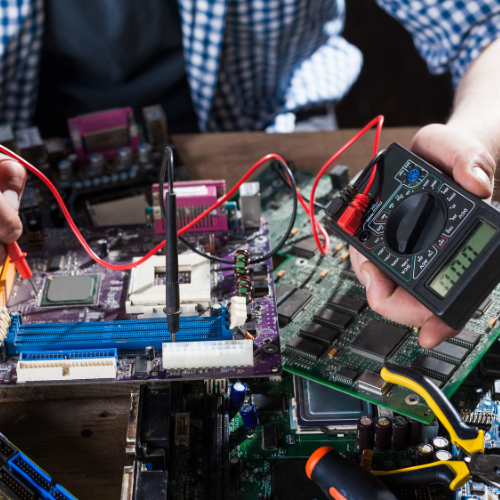
What you get
We confirm the fault, business requirement, or recycling inventory so you can approve the plan with confidence.
Family PCs, student desktops, and hobby machines deserve the same careful diagnostics as corporate fleets—explained in plain language. We repair towers and small-form-factor systems, replacing failed components where economical.
If your machine is slow, noisy, or will not turn on, book assessment with the symptoms you see. Photos of beep patterns or error screens before reboot help, but are not essential.
Failed hard drives, full disks, and corrupted Windows installs are frequent. SSD upgrades can transform older boxes when the platform is still viable.
Power events and cheap surge protectors sometimes take PSUs or motherboards together—we test downstream damage before declaring success.
We cable-manage where we have opened the case, update you on dust and ventilation, and confirm monitors and peripherals before collection. Child or shared accounts are left intact unless you request a clean install.
Why trust NLCRC
We confirm the fault and options before repair work proceeds, so you stay in control of spend.
No surprise repairs — you approve the plan once scope and pricing are agreed.
Questions
Booking through verified links helps us plan bench time and parts. If you are unsure which path fits, contact us with the model and symptoms and we will route you to laptop, desktop, or specialist intake.
No. Diagnostics establish the fault and options first. Parts, labour, and any data-risk steps are confirmed before we proceed unless you have authorised an agreed expedited exception in writing.
Often yes, but recovery depends on media condition. We triage storage separately and explain viability before attempting invasive work. See our data recovery page for RAID and NAS scope.
No. We focus on Windows PCs, laptops, custom desktops, and Apple Mac computers, plus related board-level and storage work.
Book online where a verified link is available, or contact National Laptop Computer Repair Centre for business support and recycling scope.
We use cookies to improve site performance and remember your preferences. Privacy policy